Find My Face - Find Every Photo of Yourself

Upload a photo of yourself, and instantly find every picture containing your face across your entire photo library. Works completely offline on Windows and Mac.✓ Windows 10/11 ✓ macOS (Intel & Apple Silicon) ✓ 100% Private

How It Works - 3 Simple Steps

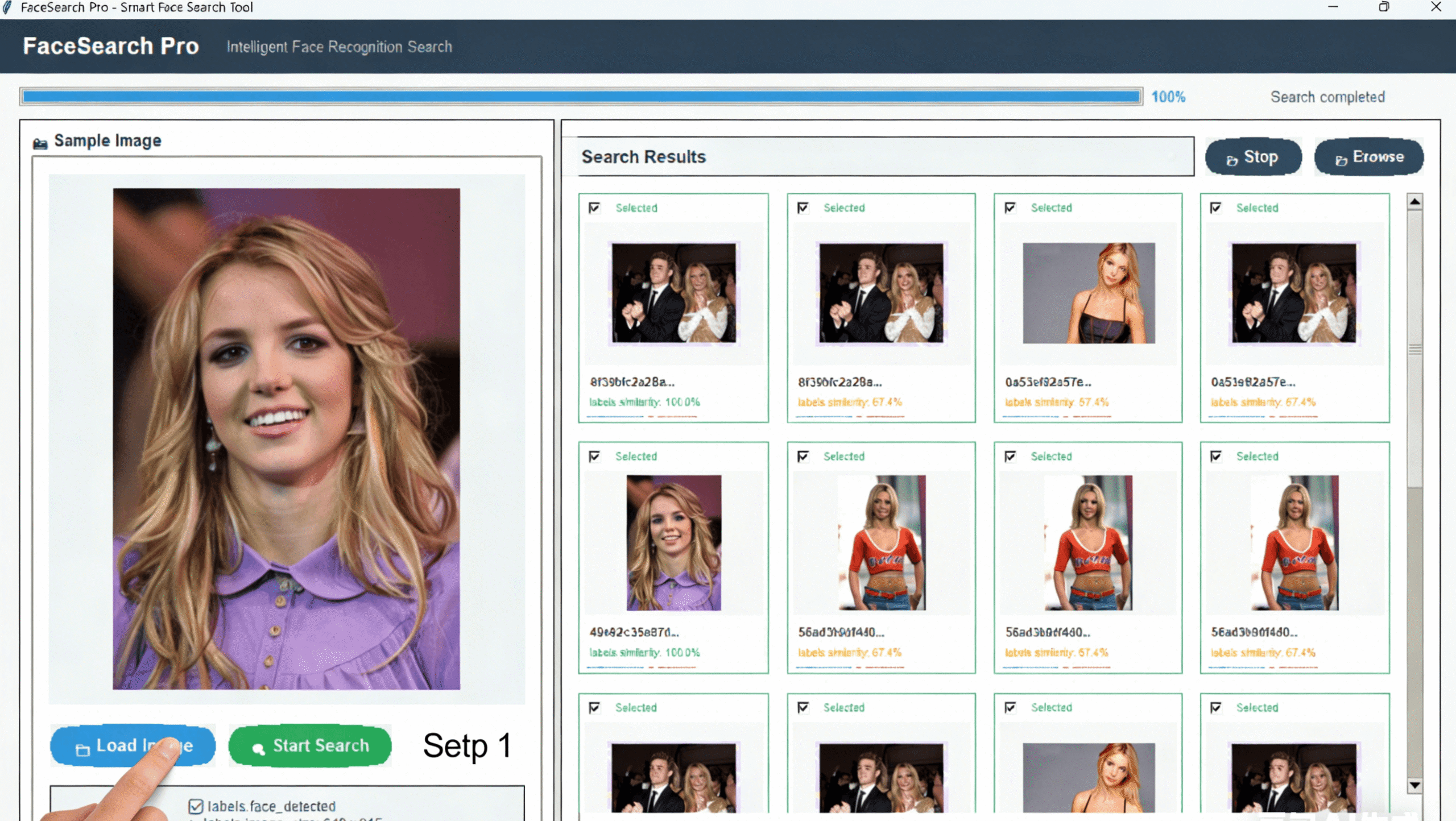
Step 1:Load Image

Wait for the model to finish loading, then select your photos.
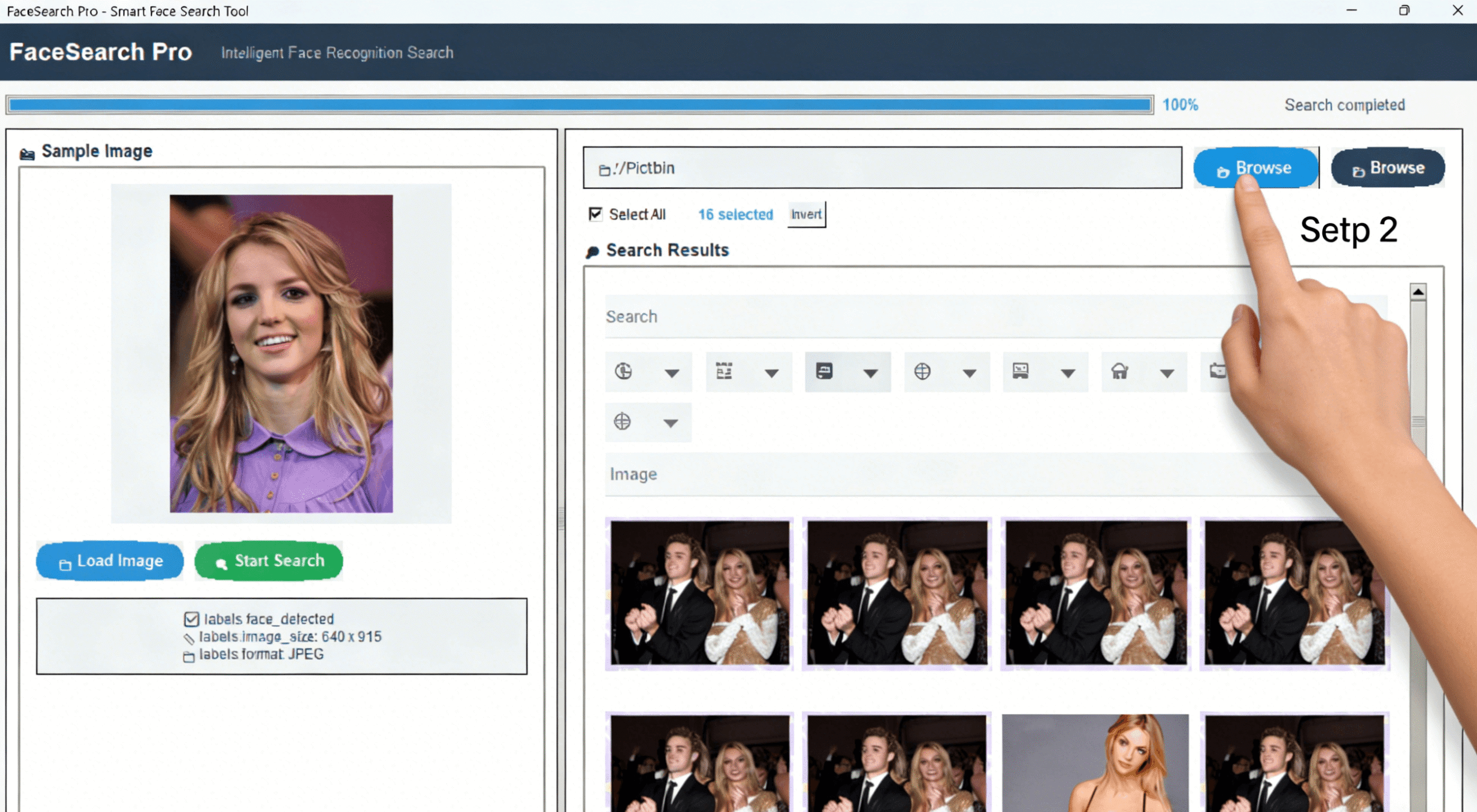
Step 2:Browse

Where are the photos?
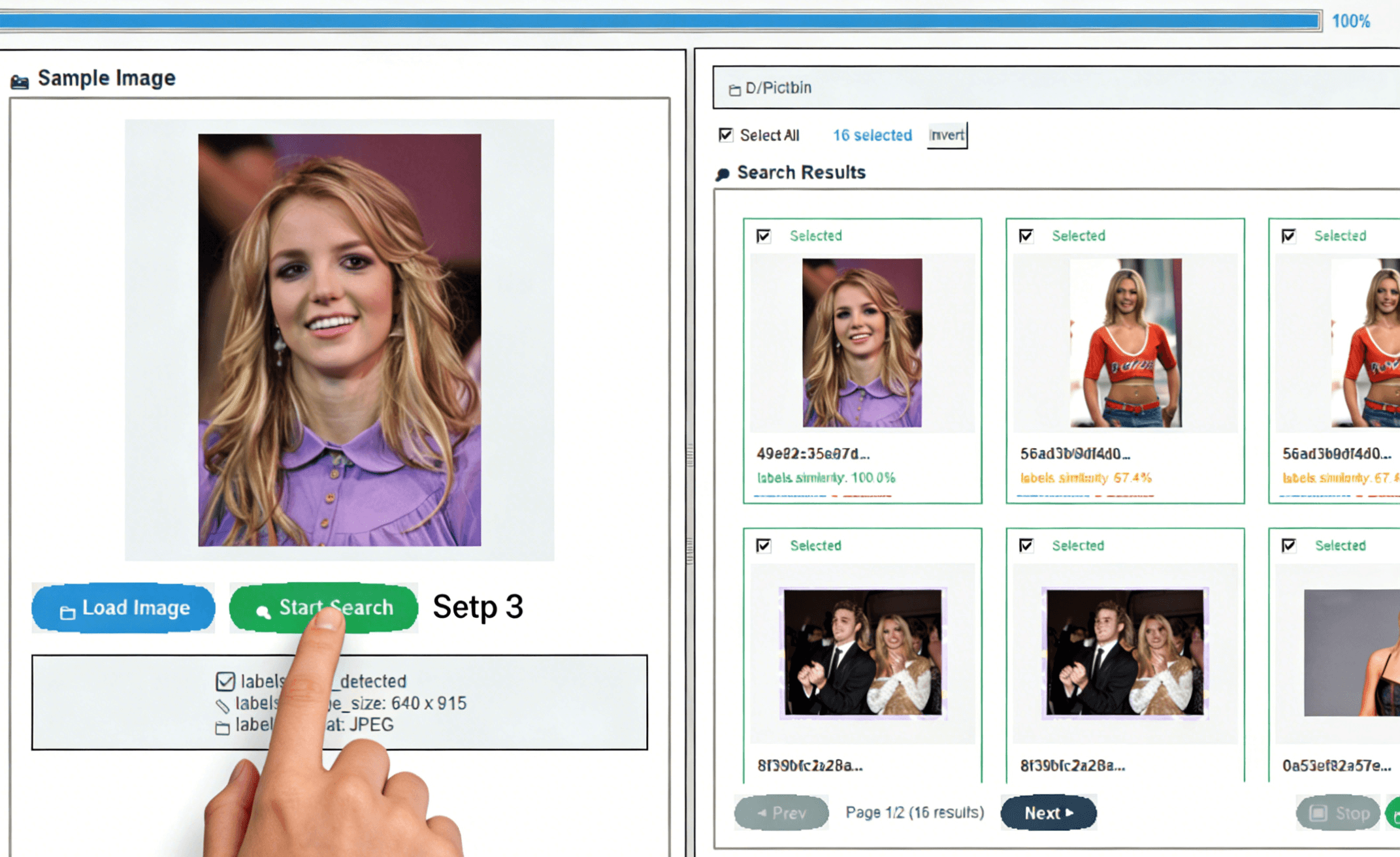
Step 3:Start Search

Find My Face - Find Every Photo of Yourself

Ready to Find All Photos of Yourself?

Free download • No registration • Works offline • Windows & Mac

Frequently Asked Questions

Is my privacy protected?

Yes, 100%. All face recognition happens locally on your computer. No photos are uploaded to the cloud, no internet connection is needed, and no data is collected.

Does it work with group photos?

Absolutely! The tool detects all faces in group photos and will find you even if you’re in a crowd of people.

How many photos can it scan?

There’s no artificial limit. We’ve tested with libraries of 10,000+ photos. Performance depends on your computer’s CPU and RAM.

Does it work on both Windows and Mac?

Yes! We offer native versions for Windows 10/11 and macOS (Intel and Apple Silicon). Both versions have identical features.

How accurate is the face matching?

The tool uses advanced AI face recognition. For clear, front-facing photos, accuracy is over 98%. It can recognize the same person across different ages, with/without glasses, and from different angles.

Leave a Reply

Your email address will not be published. Required fields are marked *

Scroll to Top